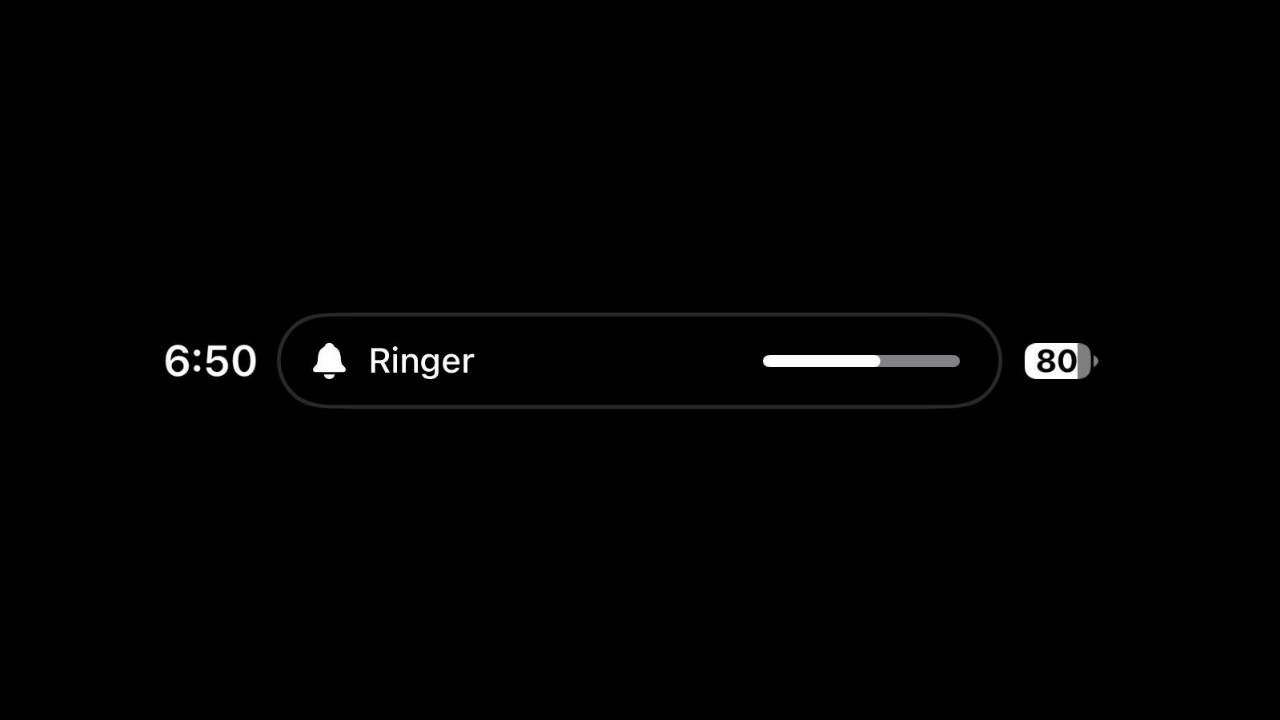
Update (October 27, 2026): The bug is still present in iOS 27.2. I’ve added a temporary workaround at the end of this post.
After updating my iPhone 17 to iOS 27.0.1, I noticed a frustrating bug that is ruining the incoming call experience, and it seems like hardly anyone is talking about it.
When my iPhone is connected to earphones, wired or wireless, and I’m playing music, or watching YouTube, an incoming call doesn’t show the usual call banner right away. Instead, the Dynamic Island shows the “Ringer” volume indicator, with no option to answer the call for a few seconds.
The ringer volume popup stays in the Dynamic Island for a brief moment before the banner to accept or decline the call finally appears. That delay makes it harder to answer or reject a call in time.
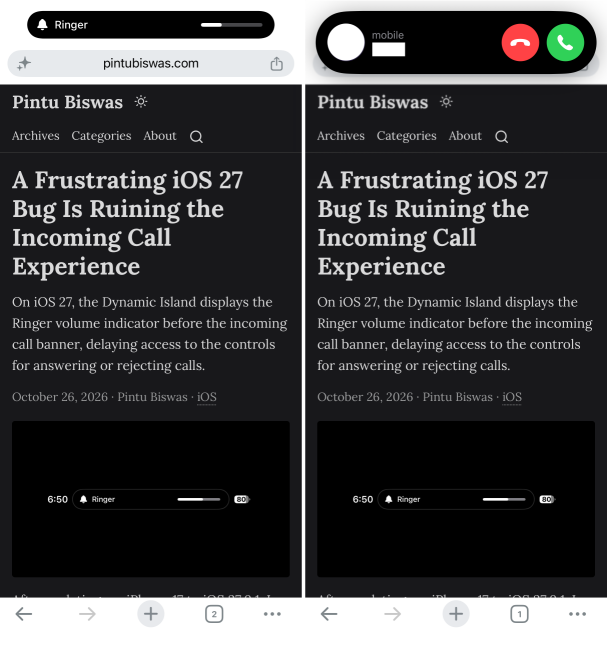
Left: the Ringer volume indicator appears first. Right: the call banner shows up a few seconds later.
I’m not the only one affected by this bug. Another user on Reddit describes the exact same issue I’m experiencing.
So far, I’ve tried several possible fixes:
- Disconnecting and reconnecting my Bluetooth earbuds
- Restarting my iPhone
- Toggling Attention Aware Features under Face ID & Passcode
- Other solutions suggested online
Unfortunately, none of them worked.
This is a bug Apple needs to fix in its next software update. More people should talk about it and report it to Apple. I’ve already submitted a report, and I’d encourage you to do the same through the Feedback Assistant app or apple.com/feedback.
Update: Still not fixed in iOS 27.2
Apple released iOS 27.2 to the public on October 26, 2026, with Siri improvements, bug fixes and security updates. I updated my iPhone 17 right away, and sadly the bug is still there. Apple didn’t fix it in this release, and I don’t know how many more updates it will take.
A temporary workaround
For now, there’s a setting that makes the problem much easier to live with. Go to Settings > Apps > Phone > Incoming Calls and change When iPhone is Unlocked Display As from Banner to Full Screen.
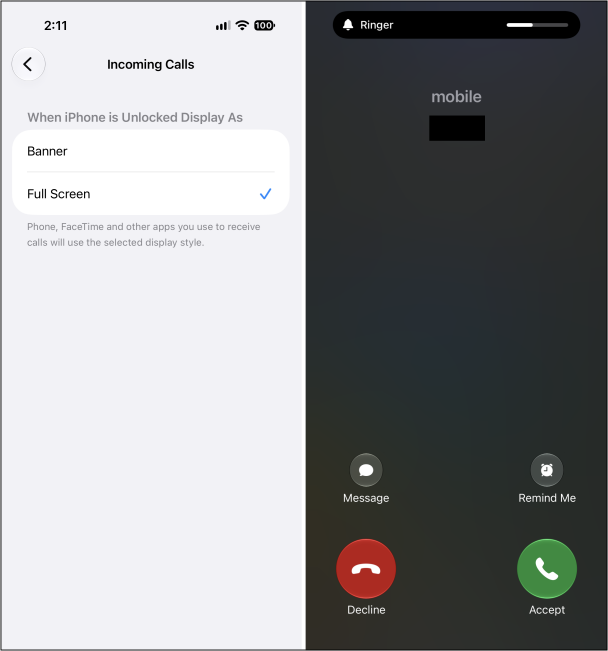
Left: the Full Screen option under Incoming Calls. Right: the Accept and Decline buttons are available immediately.
The ringer volume indicator still appears at the top of the screen, but the Accept and Decline buttons are available right away. The trade-off is that incoming calls now take over the whole screen while you’re using your phone.